New Relic
Logs
Full-text search across billions of log events, built for engineers under incident pressure who needed answers fast.
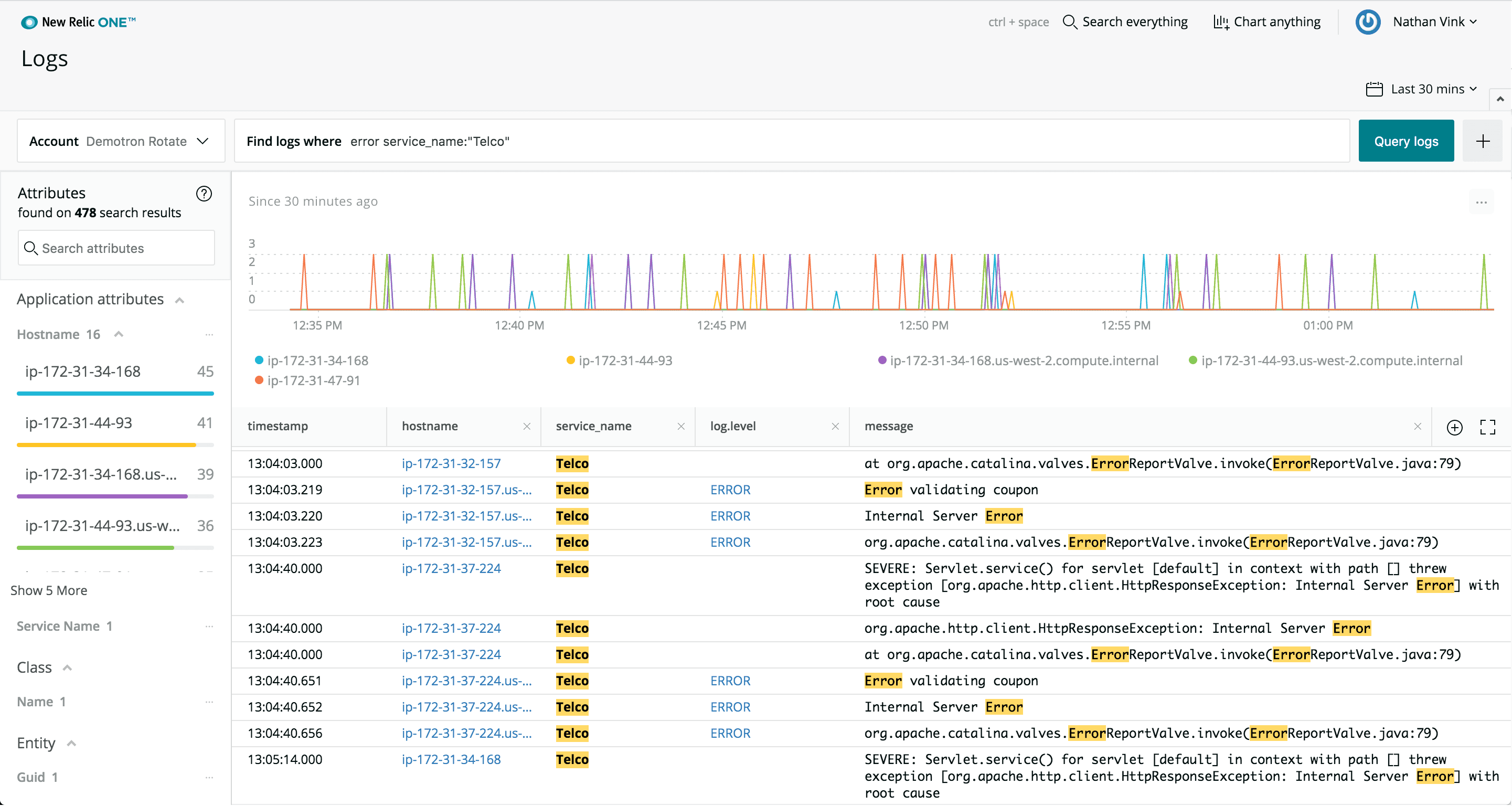
The New Relic Logs query interface with faceted search results and log stream.
Context
Log data is the most granular level of system data: the raw communications and output between every part of a system, from microservices to load balancers to hardware. When an application throws an error, log data is where engineers find out exactly what happened and why.
I traveled with a research team to conduct customer onsite visits and observational research of network operations centers, visiting some of New Relic's largest customers from Vancouver, BC to Burlington, VT. We observed the New Relic platform being used in conjunction with separate logging products, and watched engineers manually, painstakingly reproducing errors during downtime and then combing through their log data to identify where things were failing. New Relic was great at pinpointing a problem down to the transaction, but didn't have the system-level data required to understand what specific processes were breaking.
The Problem
There was a clear push from customers to reduce tooling and context switching, and growing market pressure to create a consolidated observability platform. Strategically, it made sense for New Relic to invest in a Logs product. We could eliminate the need for customers to use multiple tools, prevent context switching between separate interfaces, provide a single pane of glass for observability, and ultimately help customers save millions of dollars they might otherwise lose if outages aren't resolved quickly.
The Approach
We knew we were going to build a Logs product, but we also had to navigate internal pressures. New Relic's CEO and founder had invented a custom query language called NRQL, an offshoot of SQL that powered the platform's query-based features. In our research, we found that New Relic was typically only used by a handful of internal champions at each company who had bothered to learn the query language for more complex workflows. Everyone else relied on the pre-built views or asked a power user.
SELECT count(*) FROM Log
WHERE level = 'ERROR'
  AND appName IN ('payment-service', 'api-gateway')
  AND message LIKE '%timeout%'
FACET hostname, appName
SINCE 1 hour ago
TIMESERIES 5 minutes
LIMIT 50
It was clear that if we wanted a successful launch, we needed to reduce the barrier to entry and make the product easy to use from the first session. This was especially important considering that log interfaces are fundamentally a search-based solution. Engineers are trying to find the needle in the haystack, often under the pressure of an active incident. The search experience had to be fast, intuitive, and powerful without requiring anyone to learn a query language.
We ran extensive usability testing on the search experience to validate the design. The testing proved that the search-first approach was strongly preferred to NRQL by users, which was critical for getting internal buy-in given the founder's personal investment in the query language.
The Solution
The core of New Relic Logs was its search experience. Rather than forcing users to write queries, we built a search model that could be used at any skill level: type a plain term to search across every field, use operators for precision, or build structured filters with key:value pairs that could be combined and removed without clearing the whole query.
Term Search
The simplest interaction: type a word like “error” and every log entry containing that term across any displayed field (application name, hostname, log level, message) is surfaced instantly. No field selection required, no syntax to remember.
Operators and Structured Filters
For more precise queries, users could search using a complete set of operators: is, is not, contains, does not contain. Typing a field name like “hostname” triggered a guided flow where the user picked an operator and then selected from a list of actual values. Multiple values could be selected at once. Once confirmed, the filter became a pill in the search bar that could be individually removed without disrupting the rest of the query.
Intelligent Recommendations
The search also provided intelligent recommendations. Typing “web” didn't just search for the term; it suggested key:value matches like appname: webapp or hostname: web1, letting users jump directly to structured filters without having to know the exact field names or syntax.
Interactive Demo
Try searching for a term like “error”, a field like “hostname”, or a partial value like “web” to see intelligent suggestions.
Show Surrounding Logs
One of the most impactful UX improvements we shipped was the ability to right-click any log line and select “Show surrounding logs.” When a customer reported an error, developers would filter down to the specific error log but lose the surrounding context of what happened before and after. This feature pulled in every log that occurred within one minute of the selected entry, instantly reconstructing the timeline around the incident without clearing the filter or running a new query.
Interactive Demo
Right-click on any log line and select “Show surrounding logs” to reveal what happened in the minute around that event.
The Outcome
New Relic Logs helped retain a significant number of existing customers and close prospective customers who were looking for a complete observability platform, generating eight-figure revenue within the first year of release.
Beyond the standalone product, we also brought log data into context across the platform. Users could access log data for a specific host in the Infrastructure product or for a particular application error in APM without navigating away from their current page. This reduced context switching and time to resolution even further, reinforcing the value of having logs as part of a unified observability platform rather than a separate tool.
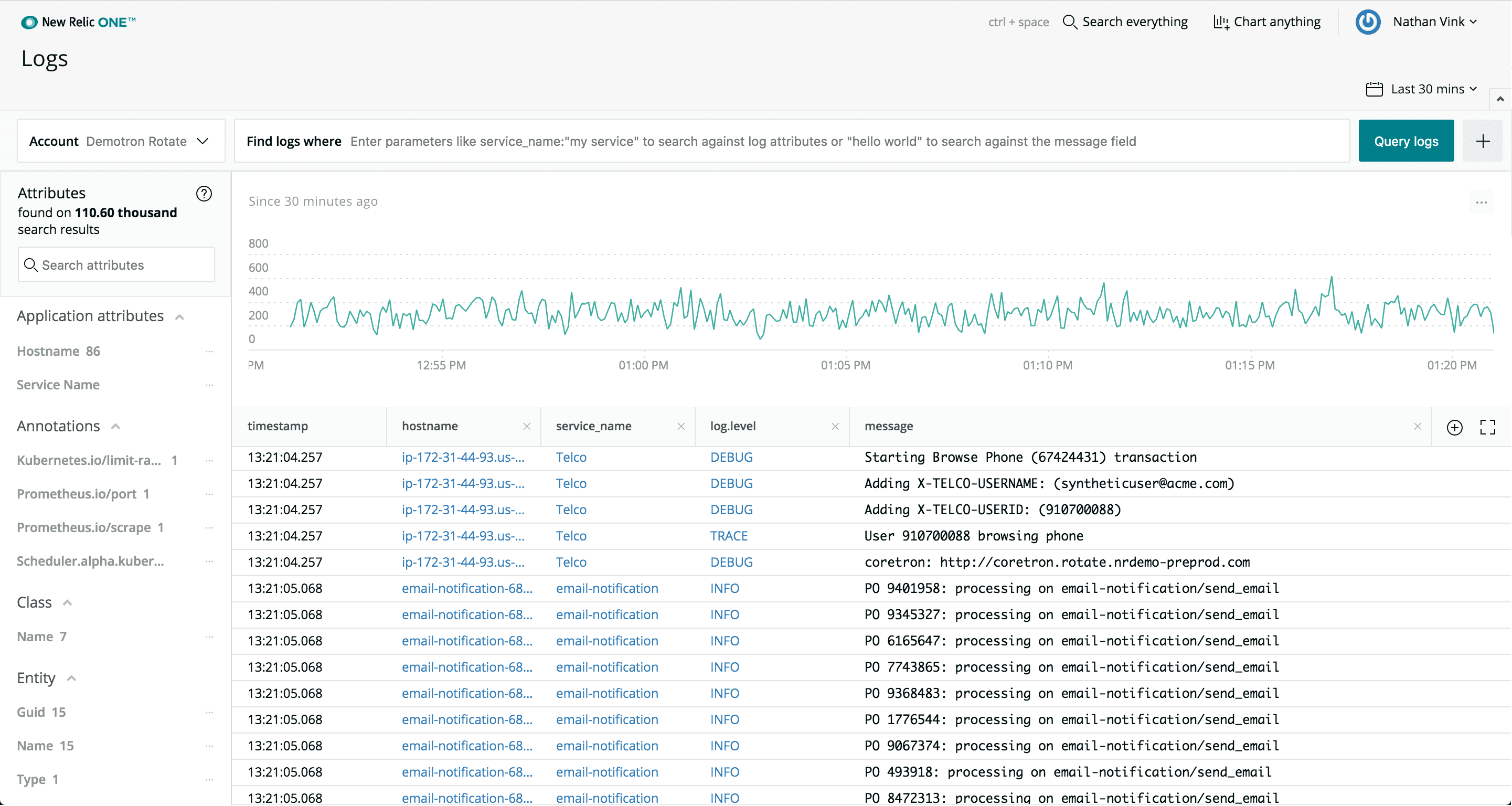
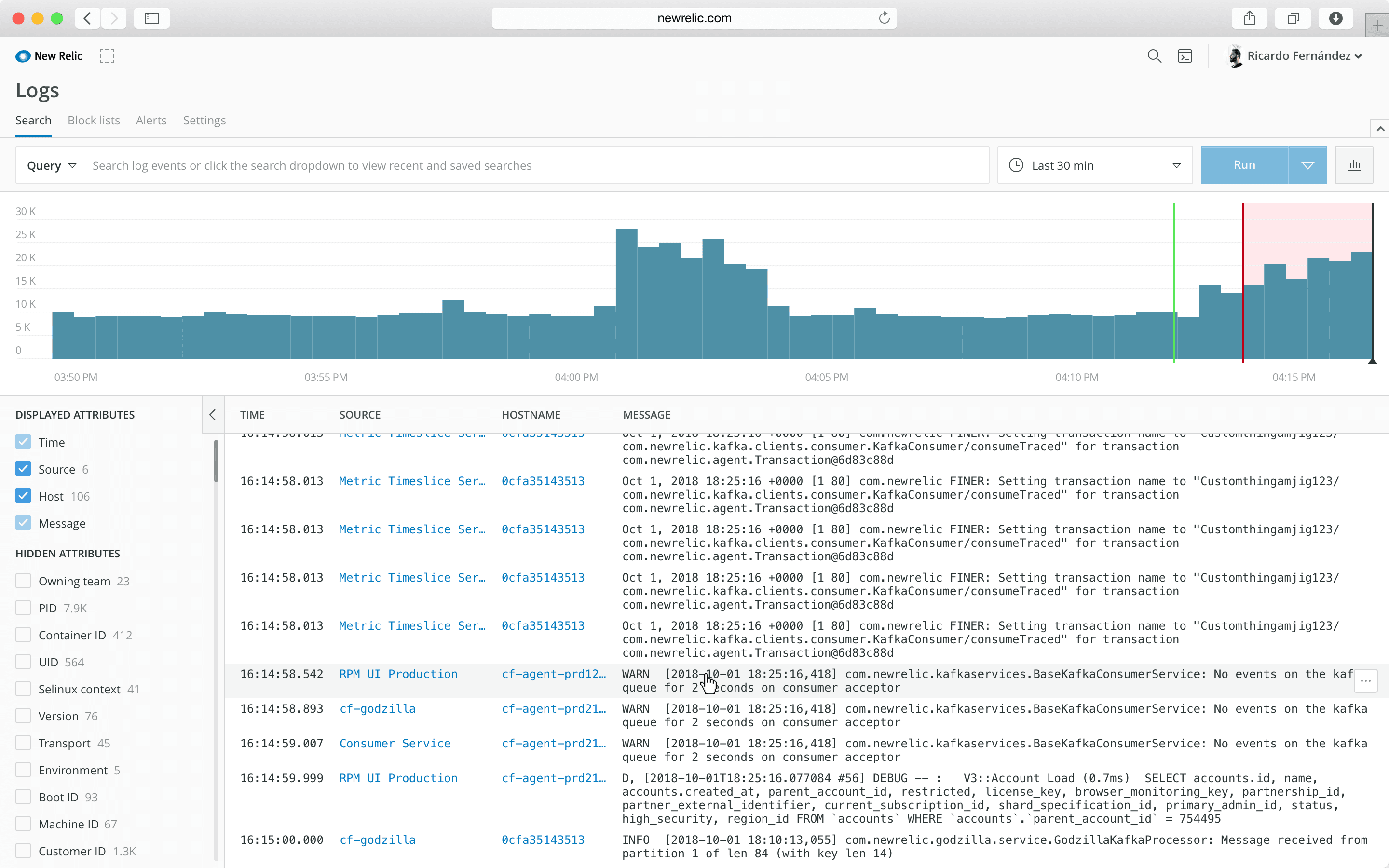
Different iterations of the Logs UI. The interface evolved through multiple rounds of design and usability testing as we refined the search experience and log line interactions.